Do you want to send email notifications to keep you and your colleagues updated with the latest information or events within your AI Agent, or send a confirmation to your customers? You can do both with an email response!
Fields
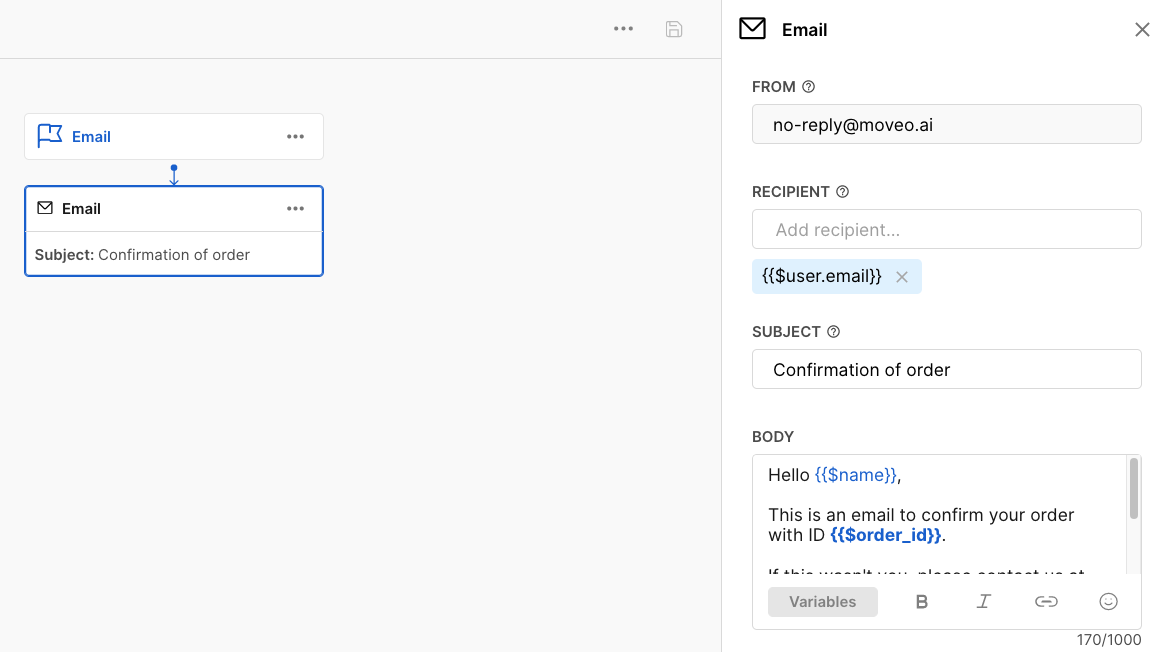
Each email response contains the following four fields:
- FROM: The sender of the email, fixed to no-reply@moveo.ai
- TO: The (one or more) receivers of the email, which you can set to either an email address or a variable.
- SUBJECT: The subject of the email, which also appears in the dialog.
- BODY (Optional): The contents of the email.
tip
To make the message more personalized for the user, you can refer to context variables
.Implementation
The following image shows an example of an email response implementation.
Troubleshooting
Contact us at support@moveo.ai if you are not receiving emails from an AI Agent
.