Conditions
Conditions allow you to alter your response based on entities
or context variables.Overview
A condition consists of the following fields:
-
The
name: This is what you want to name the condition to distinguish it. -
The list of one or more
) all evaluate to eitherrules. Rules (for environment rules see Rulestrueorfalse, and consist of the following:-
The
check forattribute, which can include either an entity or a context variable. -
An
operator, which has to be one of the following:- is equal to
- is not equal to
- is greater than
- is less than
- contains
- does not contain
- exists
- does not exist
-
A specific
value, to be compared with thecheck forattribute via theoperator. It is omitted when the operator isexistornot_exist.
-
-
The
matchoperator. It can be one of the following:-
ALL: All rules must evaluate to
true. -
ANY: At least one of the rules must evaluate to
true. -
ELSE: The rest of the conditions are not satisfied.
-
Examples of different responses
Context variable
In the following image, you can see an example in which the response is different based on the $amount context variable.
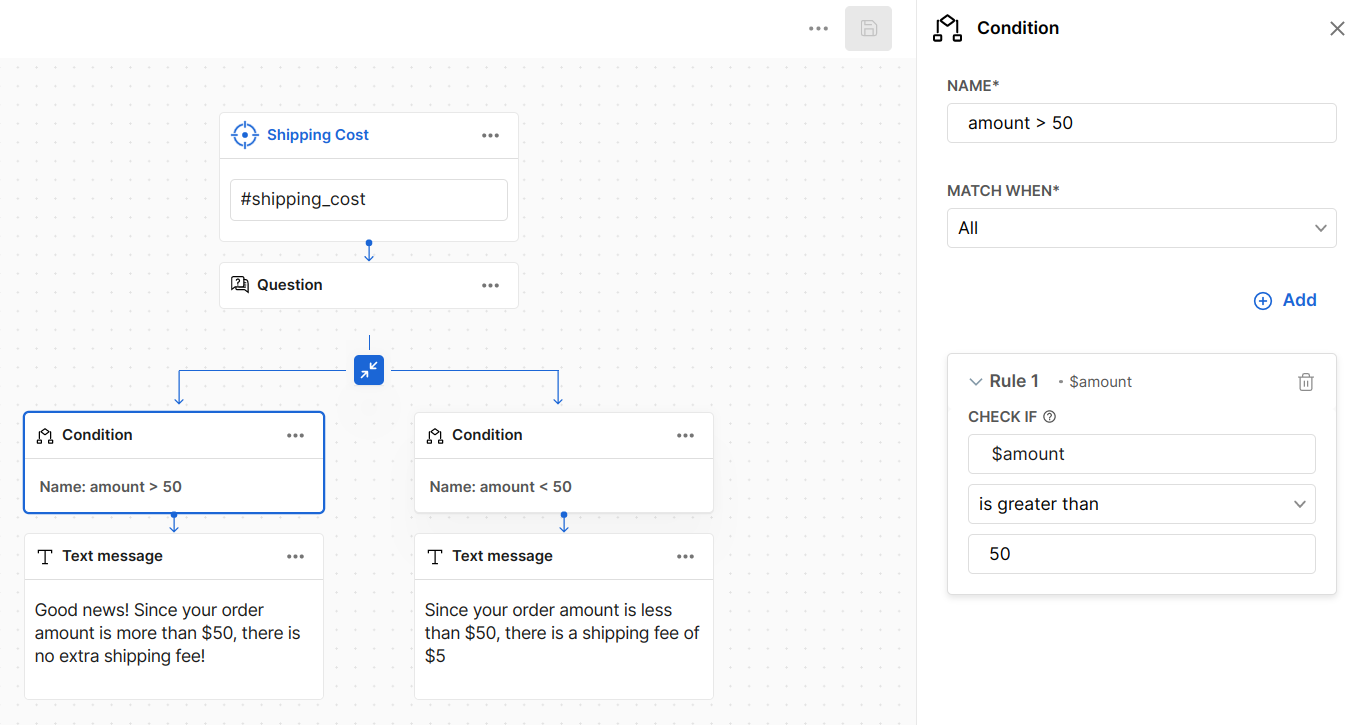
You can see the use of a condition where if the context variable $amount is more than 5 in shipping.
System variable
In the following example, you can see that the AI Agent checks for the $sys-channel variable, which is a system variable that stores the communication channel.
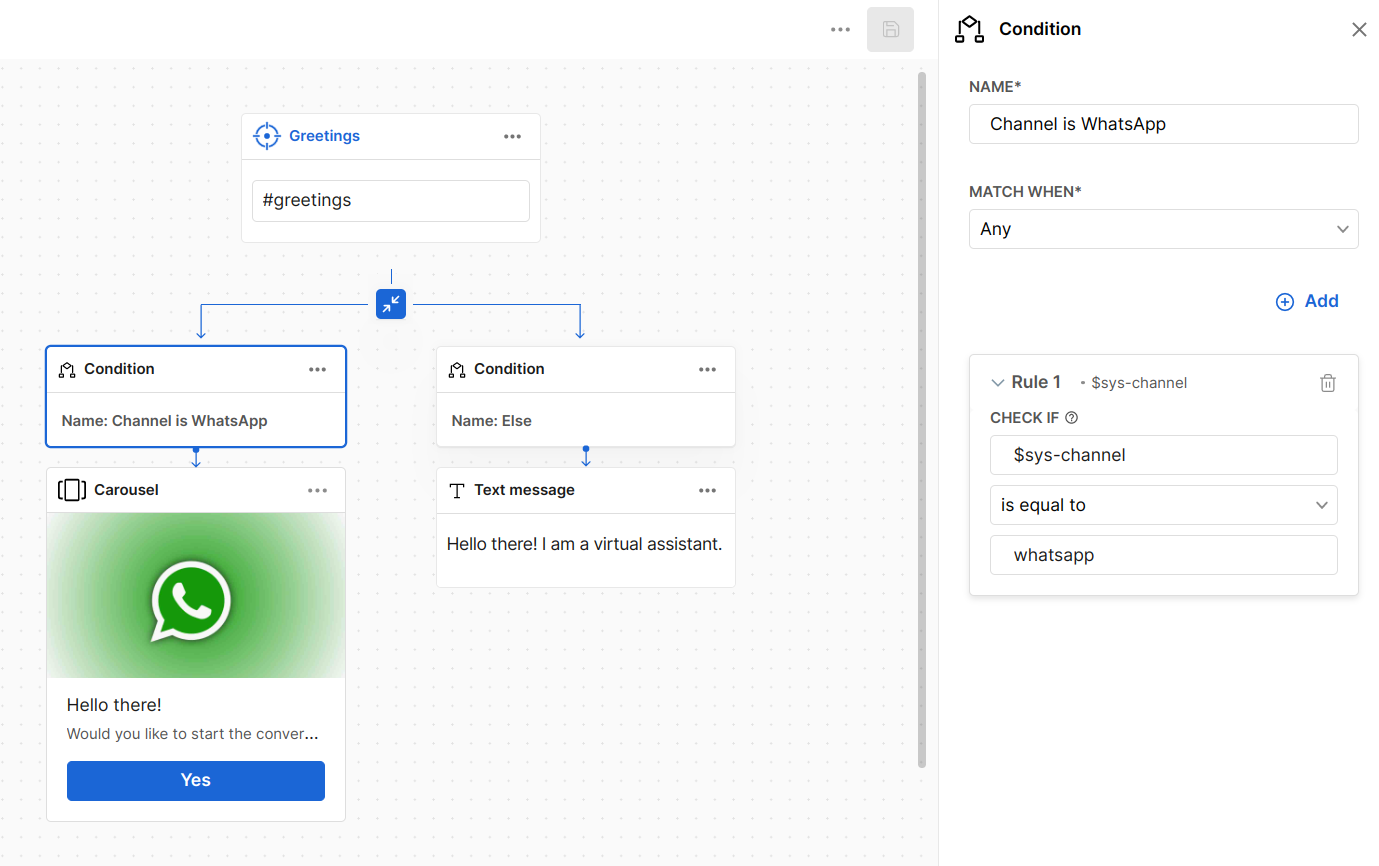
So, if the user greets the assistant through WhatsApp, they receive the response with the carousel
. Otherwise, they receive the text message response, as shown above.Entity
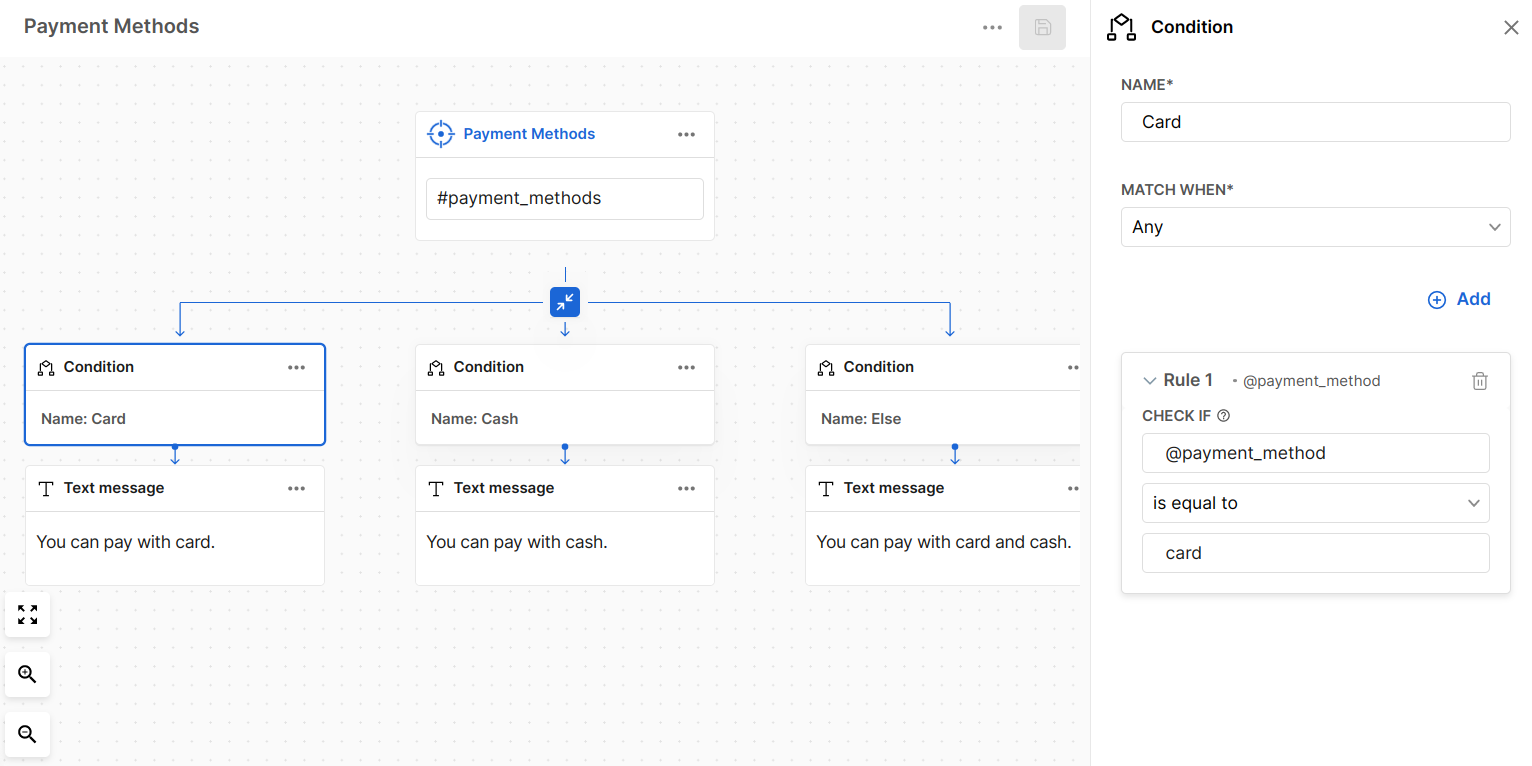
You can also create a condition based on entities. The following example shows a dialog in which the condition checks for the @payment-methods entity. If the value that is recognized is card or cash, the response is appropriate. Otherwise, the assistant tells the user what the available payment methods are.
Tags
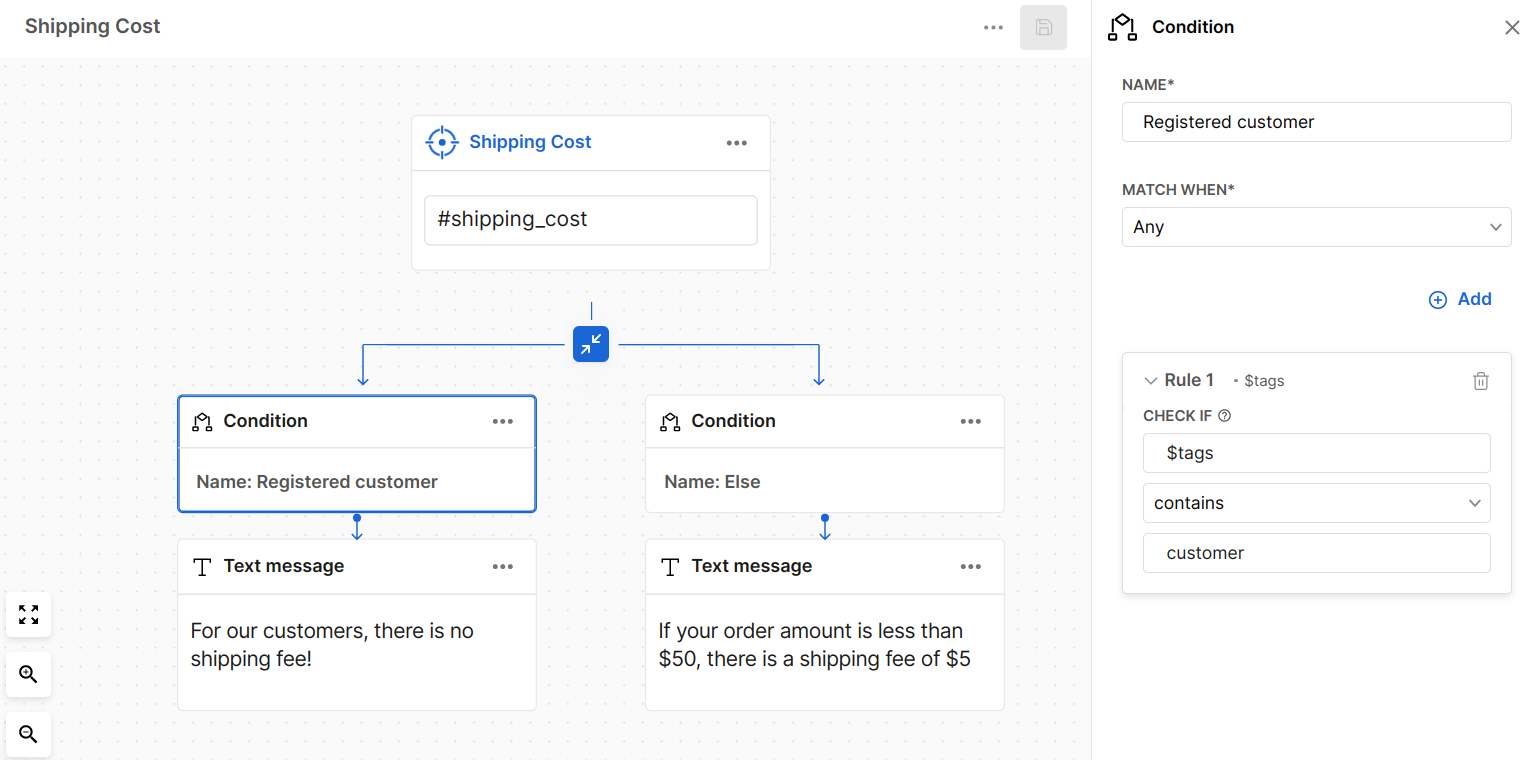
You can use tags to remember that a specific dialog has been triggered. Hence, a specific dialog can tag the conversation so that future dialogs can alter responses accordingly. In the following example, registered customers are separated from unregistered ones by using a condition. The condition checks for the variable $tags. If the assistant has already assigned the tag customer, then the response is that there is no shipping fee. Otherwise, the response is that a $5 shipping fee is applied.