Language Models
Introduction
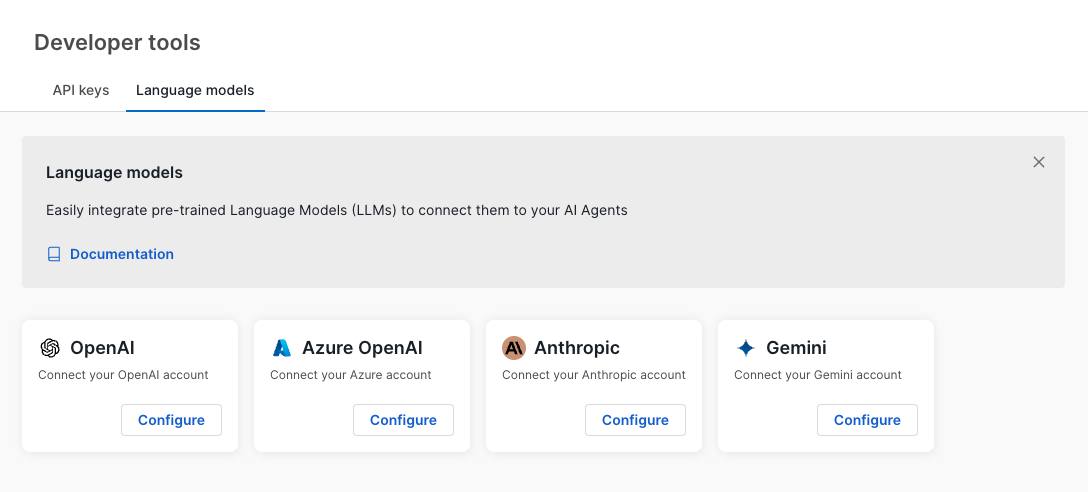
Language models offer a straightforward way to integrate pre-trained Large Language Models (LLMs) from external providers with your Moveo AI agents. This feature enables users to connect with popular LLM providers, allowing enhanced customization and flexibility.
Available providers
Moveo supports integration with the following LLM providers:
- OpenAI
- Azure OpenAI
- Anthropic
- Gemini
Each provider has unique configuration requirements. Follow the steps below to set up a language model for each provider.
Connect a language model
To connect a language model:
- Navigate to the Language Models page.
- Select the desired provider by clicking the Configure button on its tile. This opens a configuration modal.
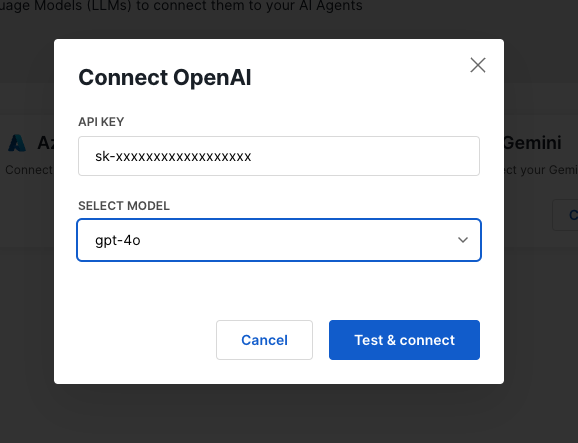
- Enter the required details as prompted:
- OpenAI, Anthropic, and Gemini require an API key and model selection.
- Azure OpenAI requires an API key, model, deployment ID, and instance name.
Example: connect OpenAI
- Click Configure under the OpenAI tile.
- In the modal, enter your OpenAI API Key.
- Select the preferred model from the dropdown.
- Click Test & Connect to confirm the connection.
Manage connected models
Once configured, connected models are displayed in the Connected Models section. Here, you can view details such as:
- Provider (e.g., OpenAI)
- Model (e.g., gpt-4)
- Creator (user who configured the model)
- Last Used (date of last usage)
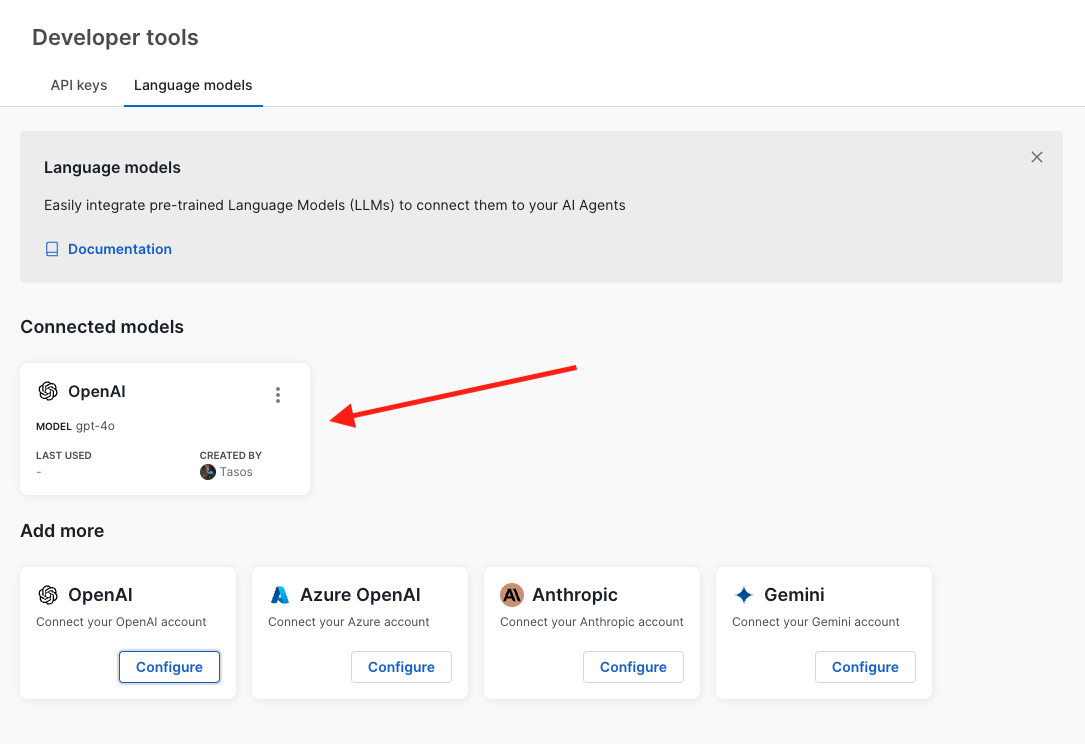
To manage or disconnect a model, use the options menu (⋮) on the model card.
Connect a model to an AI agent
In the advanced settings
of your AI agent, you can select a connected language model to use for generating responses. This allows you to customize the AI agent's behavior and responses based on the selected model.Security and best practices
- API keys are sensitive information. Store them securely and limit access to authorized personnel only.
- Ensure each model is connected using the proper API key with appropriate permissions for its intended use.